Every vendor dollar your stores are owed, tracked and recovered.
Defective product, promo reimbursements, shorted deliveries — RecoupOS turns the files you already pull into credit requests vendors actually pay, then chases them until the money shows up.
Card required · no charge during the trial · cancel any timeInvite-only while we onboard a few operators — email us and we'll set your stores up with you.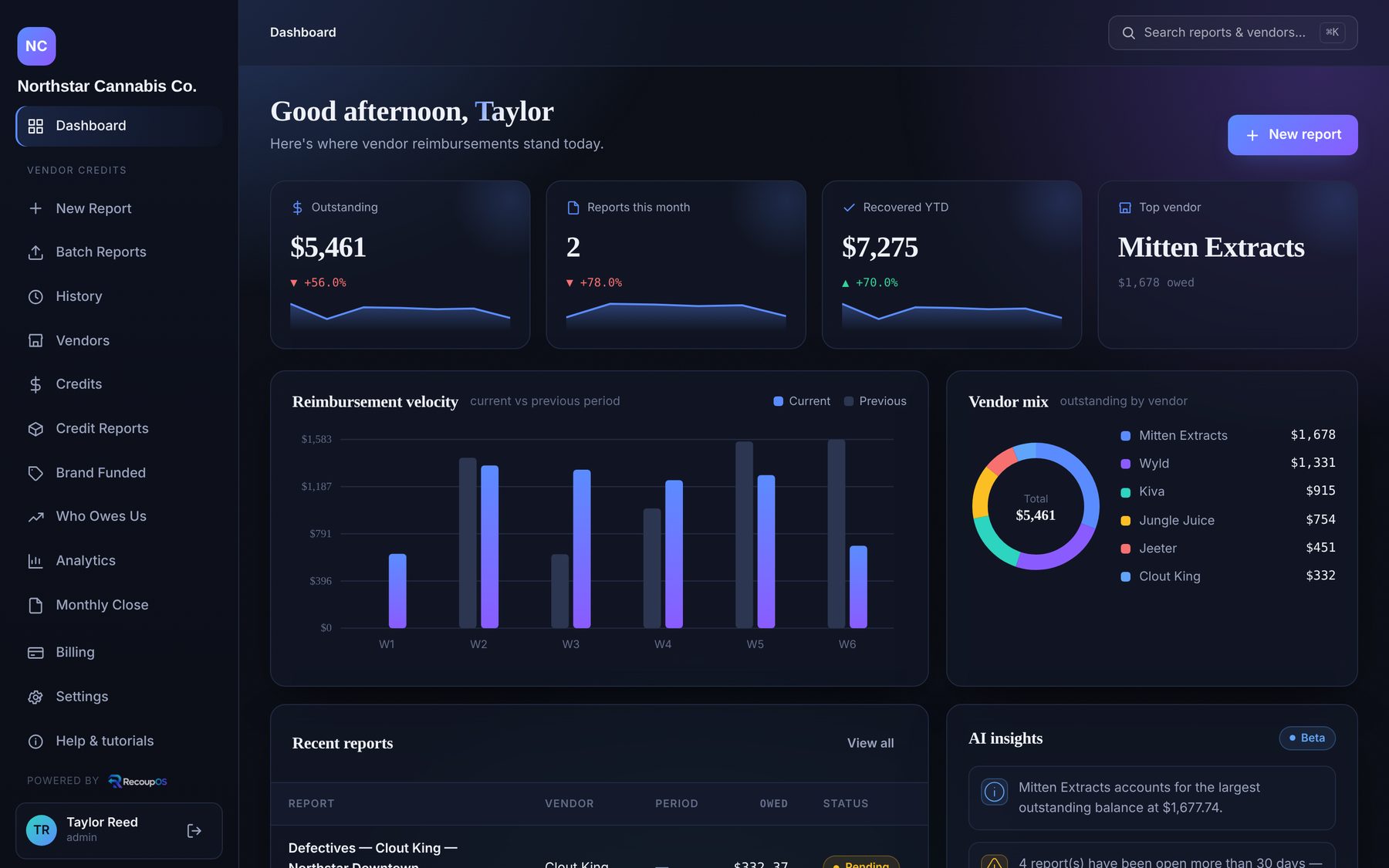
One system for everyone who touches a vendor credit.
The person who logs the defective, the one who sends the request, the one who deposits the check — and the vendor on the other end.
Know what every brand owes you, by store, today.
Open the dashboard and see outstanding balances, who hasn't paid in 30+ days, and what needs attention this morning — across every location.
- Outstanding and recovered totals per store and per vendor
- A to-do list that writes itself: unsent, overdue, vendor replies
- A Monday-morning email so you never have to go look
Send once. Track it. Record the check.
One click emails the vendor's AP team a private link with everything they need — photos, Metrc tags, your license. Reminders, partial payments and split checks are all one screen.
- See when they opened it; remind without re-sending
- Record one check against many reports
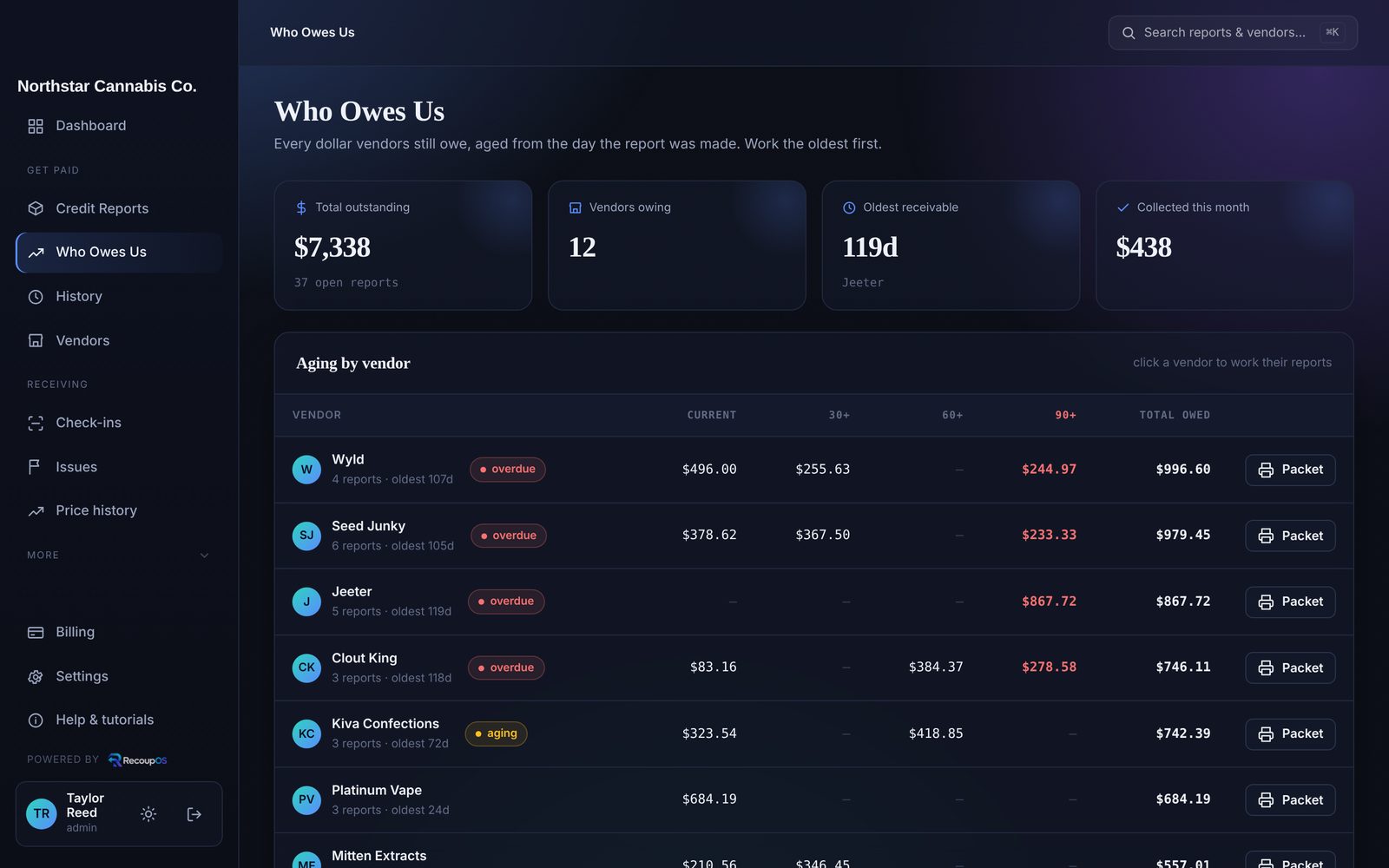
- Who Owes Us: every open dollar, aged, oldest first
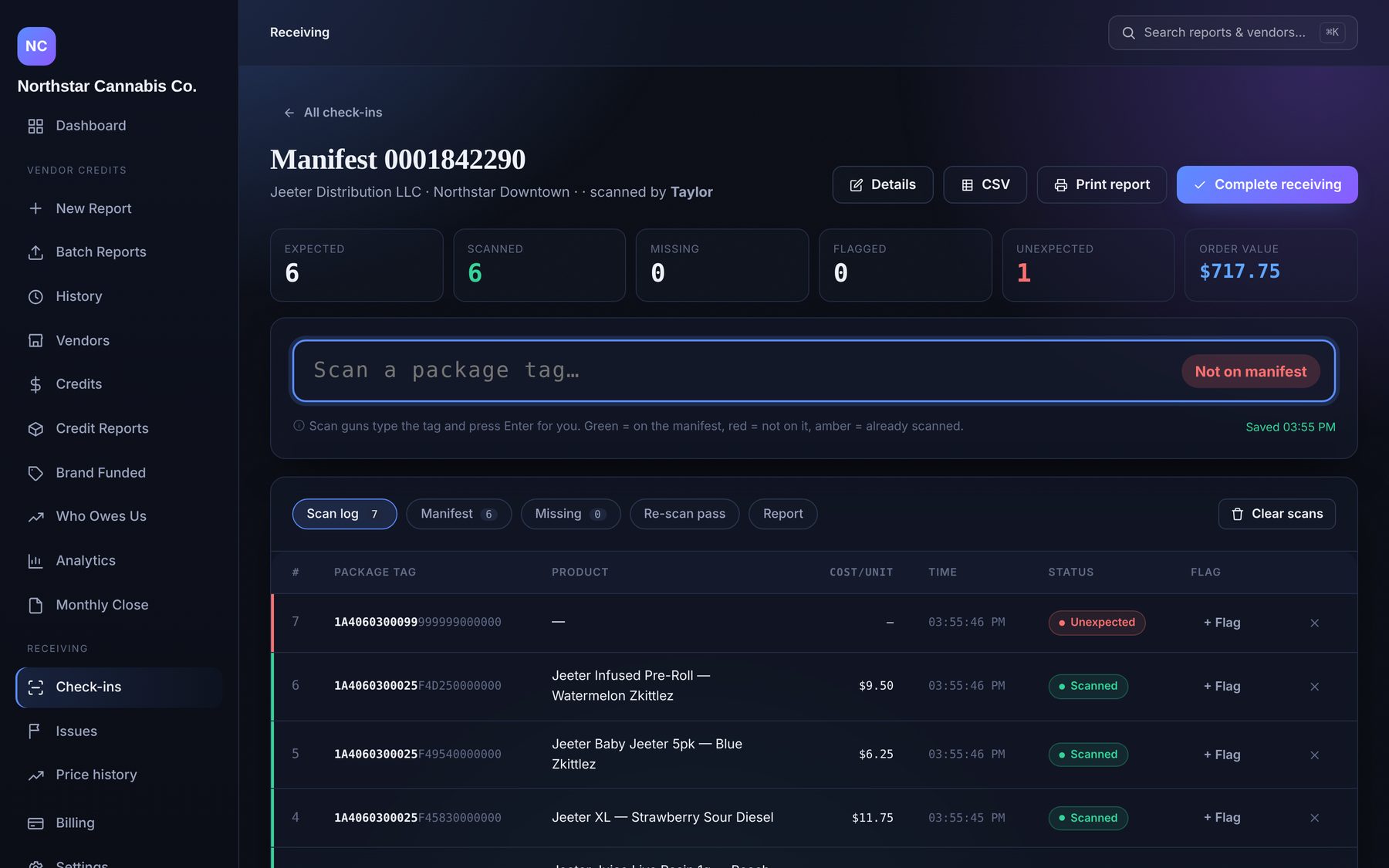
Catch the short at the door, not at month-end.
With Receiving, every delivery is scanned against the Metrc manifest. Missing packages, damage and price jumps are flagged on the spot and become vendor credits in one click.
- Pull the manifest from Metrc with the Chrome extension
- Price history per product — know when a vendor raised prices
- Issues feed straight into credit requests
A portal vendors don't need a password for.
Vendors sign in with a link and see every open request from every store that uses RecoupOS. They mark what they've paid and ask questions on the report itself; you confirm or reply from your side.
- Magic-link sign-in, nothing to install
- "We paid this" claims you accept or decline
- Fewer emails, fewer "we never got that" conversations
From a defective log to a deposited check.
Upload what you already have. The report builds itself.
Drop in the store's defective spreadsheet or a Dutchie discount export. Columns map themselves, brands are detected, and anything already credited is filtered out so you never ask twice.
- Defective logs → numbered credit report with photos and Metrc tags
- Dutchie exports → brand-funded discount totals per location
- One discount across a whole brand? Still broken down by product
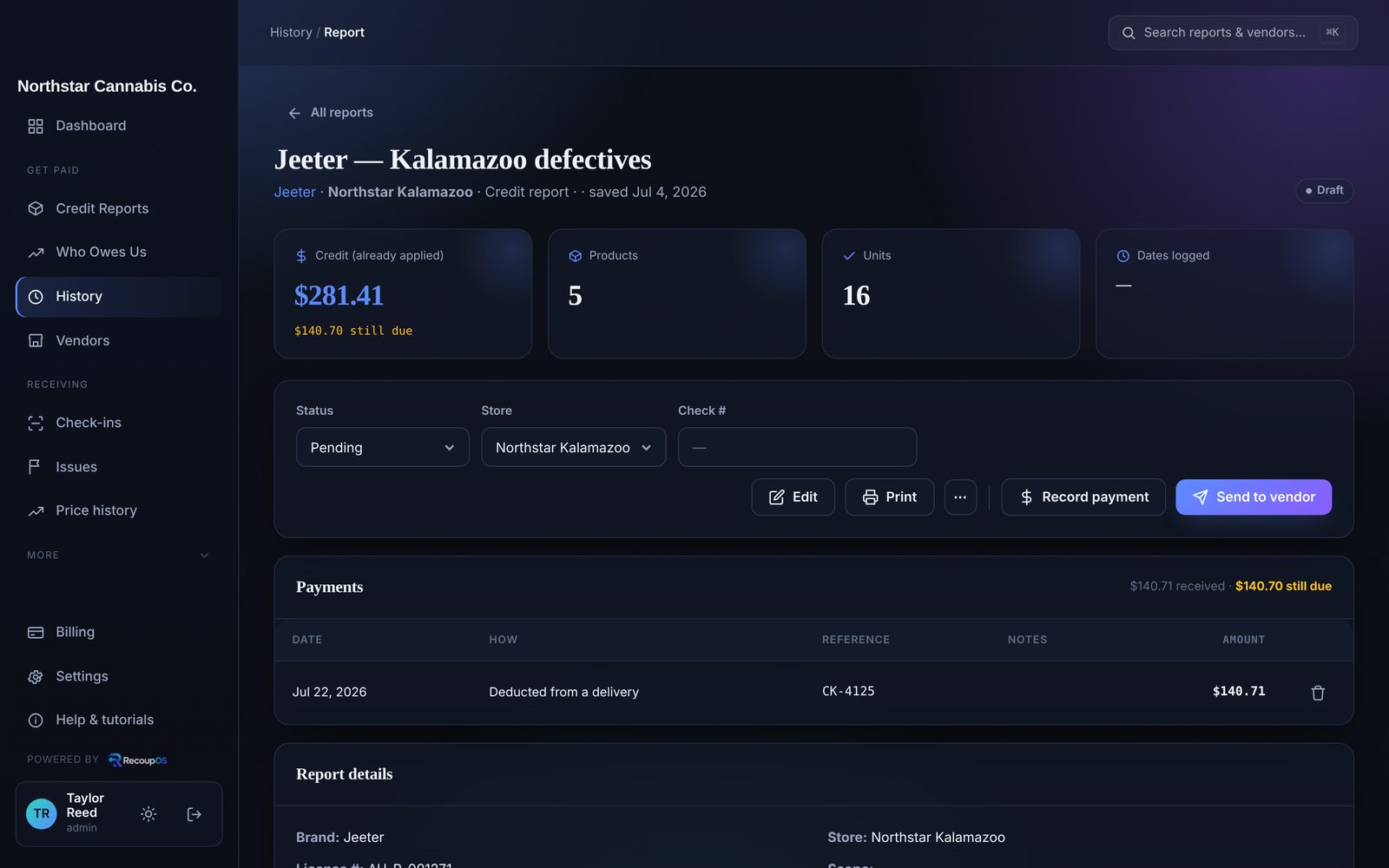
A saved report — payments, send history, photos and tags in one placeSend it to the right person, and know when they've seen it.
Each vendor's AP contact is saved once. From then on it's one click: a private link, open tracking, and reminders that don't re-send the whole thing. Nothing sits forgotten in someone's outbox.
- Open tracking and send history on every report
- Reminders in one click, straight from Who Owes Us
- Vendors reply and mark payments in the portal
Who Owes Us — every open dollar, aged by vendorRecord the check. The ledger and the scorecard update themselves.
Partial payment, a deduction from the next delivery, one check across six reports — record it once and every balance follows. Over time each vendor earns a grade from how fast they pay, how much comes back, and what shows up at the door.
- Partial payments and split checks
- Vendor scorecards, A–F, with every component shown
- Monthly close and analytics by store
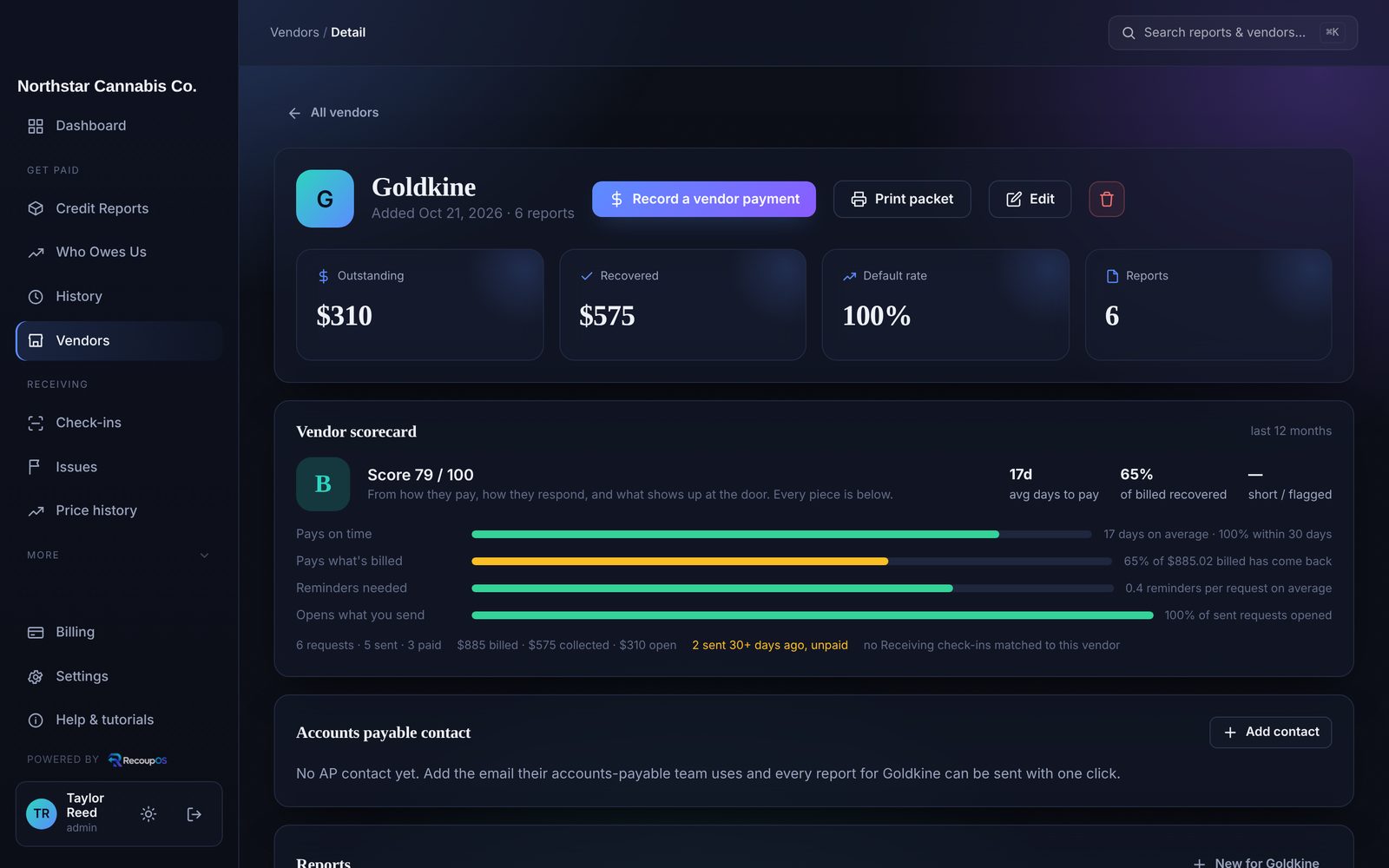 A vendor's page — AP contact, scorecard, every report
The details that make it stick.
Receiving Add-on
Scan deliveries in against the Metrc manifest. Shorts, damage and price increases become vendor credits.
Monday-morning digest
What came in, what's overdue, who hasn't opened their request — one short email a week, per user.
Help that knows the page you're on
Tutorials for every screen, and a built-in helper that answers "how do I…" without ever seeing your data.
Your team, your branding
Unlimited users with admin controls, your store list and licenses, your logo on every printout. Nothing to install.
Your data stays yours
Every company isolated to its own account. Export any report to CSV or PDF, any time.
Simple, by store count
Plans by number of stores, unlimited users, month to month. See pricing →
Set up with you
We onboard each operator by hand: stores and licenses in, your first export run together, vendor AP contacts loaded. Request access →
Questions, answered.
What do I need to get started?
A Dutchie export or your store's defective log — the same files you already pull. Add your stores and license numbers once; they fill in on every report after that. Most teams print their first vendor credit report within ten minutes of signing up.
How does the free trial work?
14 days, every feature of your plan, with a card on file. You're not charged until day 15, and you can cancel from Billing any time before then in one click.
What does it cost?
Plans are priced by number of stores, with unlimited users on every plan, and the Receiving add-on is licensed per store. See Pricing for the current plans — or start the free trial and pick one at sign-up. You can switch plans from Billing any time and Stripe prorates the difference.
Do my vendors have to sign up for anything?
No. They get an email with a private link to the request. If they want to see everything in one place, the vendor portal signs them in with a link — no password, nothing to install.
What exactly is Receiving?
A separate section for the people checking deliveries in: scan every package against the Metrc manifest, flag shorts and damage, keep a price history per product, and a Chrome extension that pulls the manifest from Metrc with one click. You turn it on only for the locations that receive deliveries.
Is my data separated from other companies?
Yes — every account is isolated, and your team only ever sees your stores, vendors and reports. Export any report to CSV or PDF at any time.
Your first credit report is ten minutes away.
Add your stores, upload a defective log, and send. Keep what you recover — the trial is free for 14 days.
We're onboarding a small group of multi-store operators by hand. Tell us how many stores you run and which POS, and we'll set it up with you.